PIVND game guide · Recorded notes and editorial analysis
MR RACER - Car Racing preview & analysis
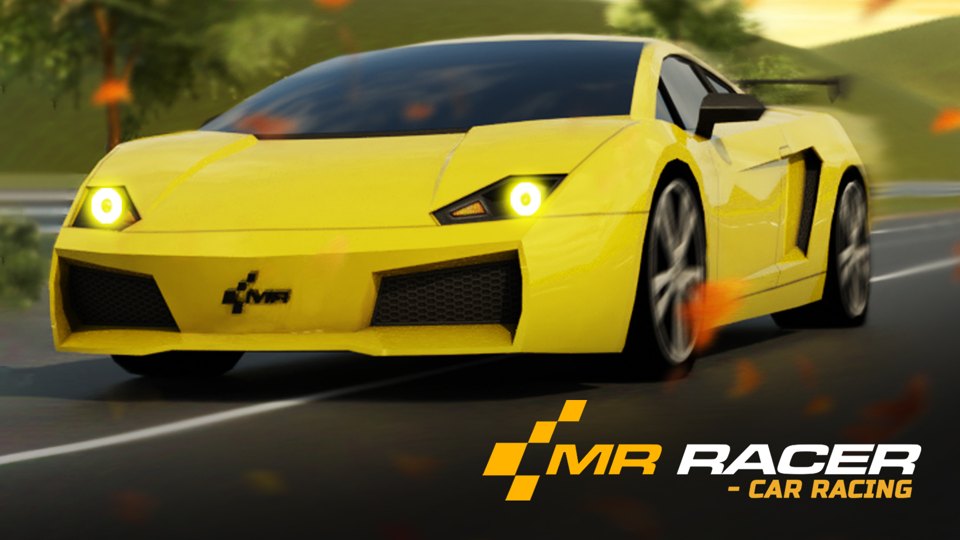
Game cover · Source: Playgama
MR RACER is positioned as a 3D traffic-driving game with several session formats. The useful choice is the goal of your first session: learning the road, pursuing a target, or repeating a timed attempt. Its menu and supplier description support that comparison; they do not establish steering quality, stable frame rates, or how each mode actually plays.
Opens Playgama in a new tab. Its advertising, privacy rules, and game availability apply there.
How it works
Gameplay structure
Playgama explicitly describes Challenge as a 100-level sequence, Chase as an ongoing pursuit of opponents, and Career as rival-based progression. It describes Endless as continuous racing without a set finish, Time Trial as clock-based racing, and Free Ride as exploration without competitive pressure. These are supplier-reported differences, not conclusions inferred from their names or completed mode tests. The garage image establishes vehicle selection only; unlock costs and driving performance remain unverified.
Input check
Controls and input guidance
Supplier-listed desktop keys
Playgama lists WASD or arrow keys for driving and H for the horn. These are source-reported controls, not a fresh input test. Check the in-game key panel for braking and camera assignments.
Device choice
The garage capture does not verify touch steering, controller support, or small-screen readability. Inspect the provider’s current device requirements before choosing a phone session.
Editorial suggestions
Practical tips
Choose a session goal before buying upgrades: learning the inputs, meeting a target, and improving a time call for different feedback.
Inspect the mode rules before assuming Free Ride is untimed or that Endless has no unlock requirement.
Read the key panel first; horn availability is not evidence that traffic will yield.
If smooth handling is essential, use the first provider session to check steering response and visibility before committing to progression.
Focused lesson · source and reasoning
Which MR RACER mode answers your first-session goal?
Start with the kind of feedback you need. A fixed mission gives a completion target; an ongoing run gives survival feedback; a rival race gives a finishing-order target. Those outcomes answer different questions, so a mode with more stages is not automatically the better introduction. The following selection map uses the linked supplier description, checked October 19, 2026.
For learning, first inspect the acceleration setting and camera. Automatic acceleration can remove one input to manage while learning steering; it also means releasing an acceleration key may not slow the car. Read the brake assignment before entering traffic. If the problem is visibility, inspect another view before spending on a faster car. This is input-planning advice, not a tested claim that a particular setting is safer.
For progression, decide whether your goal is completing a task, overtaking an opponent, or improving a time. Do not compare a new car in Career with an old car in Time Trial as evidence of better driving. Different objectives and equipment confound that conclusion; upgrade prices and an optimal purchase order are not established here.
Challenge
Pick for a defined level objective; inspect the mission condition rather than treating survival alone as completion.
Chase / Career
Pick pursuit for chasing a target, or Career for a sequence against rivals; neither is the same task as an open road session.
Endless / Time Trial
Choose continuing a run versus racing the clock. Compare results only within the same rules and equipment.
Free Ride
Inspect for learning the road without competitive pressure; that description does not guarantee no collisions, free unlocks, or no interruptions.
Worked decision · editorial reasoning
A decision to make before your next move
Situation: You want to improve one driving mistake, but are deciding between the supplier-advertised Time Trial, Challenge, and Free Ride labels. This is a mode-selection exercise, not a report of driving any mode.
What to consider: For steering practice, inspect Free Ride for a restart and a low-pressure route. For repeatable feedback, inspect Time Trial: compare two attempts only if car, route, camera, and rules stay the same. For a specific target, read the Challenge objective before starting; a completion target and a faster time need not reward the same approach.
Why: Changing the car and route between attempts makes a better time ambiguous: it could reflect upgrades or an easier route rather than steering improvement. Keep those conditions fixed and change one input habit at a time. If Time Trial uses changing traffic or Free Ride still imposes a timer, account for that in the comparison instead of trusting the mode name. Career and Chase remain advertised alternatives, not verified substitutes for a controlled practice session.
This example explains the documented rules; it is not a new measured play session.
Play this if…
Players curious about a traffic-driving premise and multiple advertised modes, who can assess the current driving feel on Playgama themselves.
Skip this if…
Skip this preview as a buying-style recommendation if you need measured performance, confirmed controller support, or realistic motorsport simulation.
A useful alternative
MR RACER - Car Racing or Moto X3M?
MR RACER advertises 3D traffic driving and several modes. Moto X3M’s historical notes describe side-view motorcycle courses, checkpoints, balance, and flips. Choose based on the task you prefer: reading road traffic or managing a bike’s landing angle; this is not a measured handling comparison.
Basis: the linked Playgama description and a retained garage/vehicle-selection capture. The image does not demonstrate traffic driving or mode operation. Earlier written driving claims have not been independently reverified and are withdrawn from this preview’s recommendations.
Record boundary: Corrected the screenshot caption to identify the garage and vehicle-selection screen. The image does not demonstrate traffic driving or the operation of each game mode. This was an evidence review, not a new play session. Earlier gameplay claims have not been independently reverified and are withdrawn from the current article. Browser version, device model, and measured session duration were not recorded.
The provider describes distinct objectives for all six modes; a mode name alone is no longer the basis of this comparison.
Automatic or manual acceleration and several camera views are supplier-listed options, not newly tested inputs.
The retained garage image supports vehicle selection, not handling or upgrade value.
Our retained capture shows the garage and vehicle-selection screen. It does not show traffic driving or verify individual modes.
Source, independence, and advertising
The game’s recorded provider is Playgama. PIVND supplies the editorial analysis. The dated scope above identifies historical notes, supplier information, and any retained capture. PIVND is not the game's developer or publisher.
Available games open on the official Playgama website in a new tab. PIVND does not embed games or load their advertising. The provider’s privacy and advertising rules apply on its site. See our content sources and review method for source and evidence boundaries.
Editorial version: 2026-10-20. Live game details can differ from the dated sources above.
Review revision history
Checked source-supported mechanics, corrected unsupported details, and moved extended evidence notes behind the practical guide. No new gameplay session is claimed.
Originally published as a guide attributed to August 12 browser notes; later corrections and evidence limits are recorded below.
Added a structured evidence disclosure and revision record; this was an editorial audit, not a new gameplay session.
Removed embedded play in favor of provider-page links and aligned the content label with its evidence basis. This is not a new gameplay test.
Attributed surviving written notes explicitly and separated reported actions from independently visible screenshot evidence. No new play session is claimed.
Condensed repeated review sections and added a labeled editorial decision example. This is a content edit, not a new play session.
Added a targeted mode-selection, café-progression, or standard-rules lesson with explicit source boundaries; no new gameplay test is claimed.
Corrected the screenshot caption to identify the garage and vehicle-selection screen. The image does not demonstrate traffic driving or the operation of each game mode. This was an evidence review, not a new play session.
About this MR RACER - Car Racing guide
MR RACER source-based preview: choose between the advertised driving modes, compare traffic racing with Moto X3M, and understand what the retained garage image establishes.