











Grand Shift Auto
Grand Shift Auto
93%
2013Votes

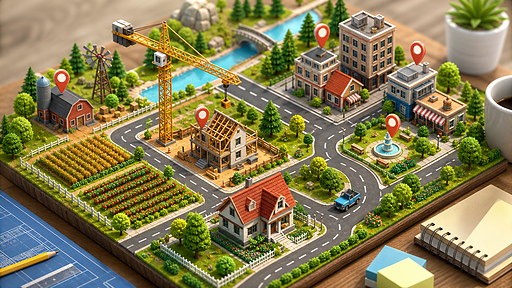
Gangster gameplay in the city location. There are three missions in the game. Take your best guns, rifles, shotgun, machine guns and make chaos in the city. Steal sports cars, ride through the city. Complete missions and try to become rich. Have fun.

Use your mouse to play

Grand Shift Auto

93%
2013Votes

Gangster gameplay in the city location. There are three missions in the game. Take your best guns, rifles, shotgun, machine guns and make chaos in the city. Steal sports cars, ride through the city. Complete missions and try to become rich. Have fun.

Game features

Play read: Lock the cursor when shooting so camera control stays stable. Catalog angle: Grand Shift Auto sits in the action, arcade, and adventure game group for players comparing action, arcade, adventure options with careful observation before each move; page clue: Players who want quick open-world action in the browser will understand the appeal immediately. Before playing longer: Desktop control: WASD: - Move Space: - Jump Shift: - Run Left Mouse Click: - Shoot Middle Mouse: - Change weapon F: - Enter vehicle Tab: - Weapon shop; then judge the opening rhythm against this cue: Open City Action in a Compact Form Grand Shift Auto gives players a familiar crime-city setup without pretending to be a huge simulation. Device and pacing note: Grand Shift Auto is better treated as a desktop pick, especially because Open City Action in a Compact Form Grand Shift Auto gives players a familiar crime-city setup without pretending to be a huge simulation. Comparison cue: Controls and Freedom The control list is broader than a simple shooter.

Controls

Desktop control: WASD: - Move Space: - Jump Shift: - Run Left Mouse Click: - Shoot Middle Mouse: - Change weapon F: - Enter vehicle Tab: - Weapon shop P: - Menu L: - lock cursor R: - Restart C: - Change camera on the car E: - Light

Recommendation

Grand Shift Auto is a good action, arcade, and adventure game candidate when this note sounds like the session you want: It is about picking a weapon, finding a vehicle, completing a mission, and enjoying the exaggerated city-chaos fantasy. Start by checking the input style: Desktop control: WASD: - Move Space: - Jump Shift: - Run Left Mouse Click: - Shoot Middle Mouse: - Change weapon F: - Enter vehicle Tab: - Weapon shop. If that control setup feels awkward, compare keyboard, mouse, and touch expectations before you commit while using this page-specific note as the tie-breaker: Weapons, vehicles, missions, and city movement create varied action Grand Shift Auto is better treated as a desktop pick, especially because Only three missions means the structured campaign is limited

Grand Shift Auto Review: City Chaos, Missions, Cars, and Weapons

Grand Shift Auto is an arcade city action game where you move through an urban map, grab weapons, enter vehicles, complete missions, and cause controlled chaos.

Open City Action in a Compact Form

Grand Shift Auto gives players a familiar crime-city setup without pretending to be a huge simulation. You can run, jump, shoot, switch weapons, enter vehicles, drive through the city, and take on three missions. The structure is straightforward: use the city as a playground, earn money, and push through the available objectives with the weapons and cars you can find.

Controls and Freedom

The control list is broader than a simple shooter. WASD movement, running, jumping, shooting, weapon switching, vehicle entry, car camera changes, lights, a weapon shop, and menu controls all support the sandbox feel. This variety matters because the fun is not only shooting enemies; it is also stealing a sports car, changing pace, repositioning, and approaching missions with different tools.

What Works Best

The game is strongest when treated as an arcade action sandbox. It is not about realistic city life. It is about picking a weapon, finding a vehicle, completing a mission, and enjoying the exaggerated city-chaos fantasy. Players who want quick open-world action in the browser will understand the appeal immediately.

What works well

  • Weapons, vehicles, missions, and city movement create varied action
  • Vehicle entry and camera controls support sandbox play
  • Easy to understand for fans of arcade crime-city games

What to know

  • Only three missions means the structured campaign is limited
  • Players wanting deep realism may find it intentionally arcade-like

Tips

  • Visit the weapon shop before harder mission attempts.
  • Use vehicles to reposition quickly instead of running everywhere.
  • Lock the cursor when shooting so camera control stays stable.

Verdict

Grand Shift Auto is a compact city action sandbox that works best for players who want quick missions, weapons, cars, and urban chaos.

FAQ

Can I start Grand Shift Auto in the browser on PIVND.com?

Yes. PIVND.com keeps this as a browser action, arcade, and adventure game page with the playable frame, control notes, device context, and related games in one place.

What should I check before playing Grand Shift Auto?

Check the control note first: Desktop control: WASD: - Move Space: - Jump Shift: - Run Left Mouse Click: - Shoot Middle Mouse: - Change weapon F: - Enter vehicle Tab: - Weapon shop. That is the quickest way to decide whether the game fits your device and patience level.

Is Grand Shift Auto better on desktop or mobile?

desktop browser play is the safer expectation. If the controls feel cramped, switch devices or use the related-game links to find a better match.


