PIVND hands-on guide · Independently tested by PIVND Editorial

Find the Frog - Hidden Objects hands-on review

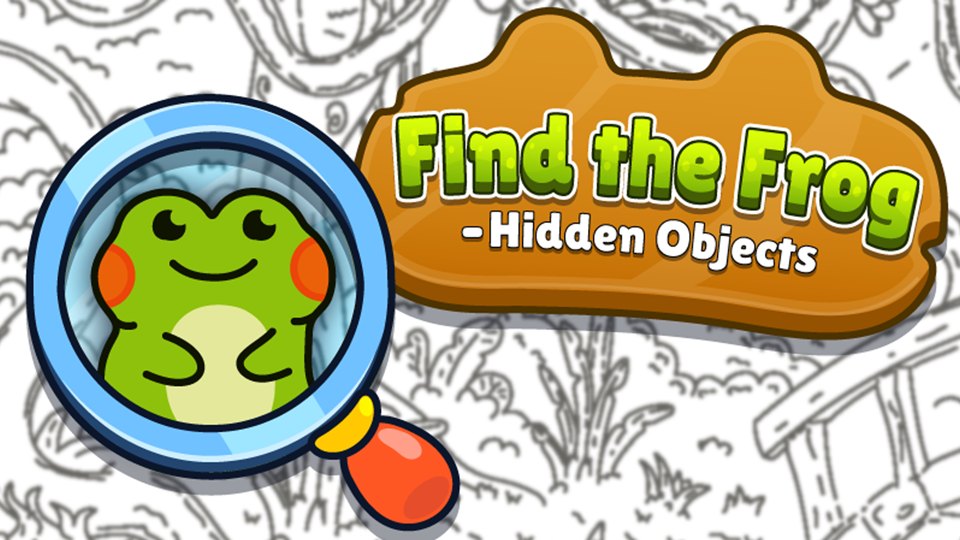
Find the Frog succeeds by making confirmation visually satisfying: a hidden outline becomes colored when correctly selected. It is a calm observation game with a collection goal, but the monochrome scenes can make the last target genuinely difficult and may be unsuitable for players who struggle with fine visual discrimination.

Tested in browser
2026-08-12
What we checked
Launch, controls, opening play, and visible systems
Review by
PIVND Editorial
Find the Frog - Hidden Objects

Our Find the Frog review covers black-and-white scene scanning, color-reveal feedback, three-scene worlds, album collection, magnifying-glass hints, observation tactics, accessibility limits, and session fit.

Use your mouse to play
Find the Frog - Hidden Objects

The third-party game loads only after you choose to play.

Find the Frog - Hidden Objects

PIVND hands-on guide · Full test record

What happened in our browser check

Tested 2026-08-12 by PIVND Editorial

We opened a black-and-white illustrated scene, clicked hidden frog outlines, observed the color reveal, checked the remaining-target flow, used the magnifying-glass hint, and reviewed the three-scene world and album structure.

We opened a black-and-white illustrated scene and confirmed that clicking a hidden frog reveals it in color. Each themed world contains three scenes, and completing them adds location-specific frogs to the collection album. A magnifying-glass hint is available when the remaining outline is difficult to distinguish.

  • Correct frogs change from the scene’s black-and-white linework into color, providing immediate evidence that the selection counted.
  • A world contains three scenes and rewards a location-specific album frog, so the collection extends beyond finding every target on one picture.
  • The magnifying-glass hint is a targeted recovery tool for a remaining outline rather than a constant automatic highlight.
Find the Frog - Hidden Objects gameplay captured during the PIVND browser check
Our capture shows the monochrome illustration and colored reveal behavior used to confirm successful finds.

How it works

The actual play loop

Each scene hides frog shapes inside a detailed monochrome illustration. Clicking a correct outline reveals that frog in color and reduces the number still required. Three scenes form a themed world; completing the set contributes a location-specific frog to the collection album. When visual searching stalls, the magnifying-glass tool can reveal a remaining location. Progress therefore combines local scene completion with a longer collection across farms, swamps, cities, beaches, and other themes.

Input check

Controls we reviewed

Desktop
Move the pointer over a suspected outline and click to reveal it. Zooming the browser may help with fine detail, but keep enough of the scene visible to compare shapes.
Mobile
Tap a hidden frog with one finger. Use deliberate taps so a small outline is not obscured before selection.

From the test

Practical tips

  1. Scan the outer frame and large empty-looking shapes first; hidden-object art often uses the edges of obvious objects as camouflage.
  2. Divide the picture into a small grid and complete one region at a time instead of repeatedly sweeping the entire scene.
  3. Compare line thickness and symmetry when an outline almost resembles part of the background illustration.
  4. Save the magnifying glass for the final difficult frog, when systematic scanning has eliminated most of the scene.

What works

Strengths

  • Color reveal makes successful finds easy to confirm.
  • World and album structure rewards complete scene sets.
  • No complex control learning stands between the player and the search.

Before you start

Limitations

  • Monochrome detail can be hard to read on small displays.
  • The activity changes through artwork more than through new mechanics.
  • Players with low vision or shape-discrimination difficulties may need zoom or hints.

Play this if…

Best for players who enjoy careful visual searches, untimed scenes, collectible completion, themed illustrations, and simple point-and-click input.

Skip this if…

Skip it if you want action, strategic movement, strong color cues throughout the scene, or puzzles built from rules rather than visual concealment.

A useful alternative

Find the Frog - Hidden Objects or Word Search Hidden Words?

Find the Frog searches irregular illustrations for visual outlines and rewards world collections. Word Search uses a fixed 7×7 letter grid, directional swipes, listed targets, and bonus valid words.

Read our Word Search Hidden Words test guide

Source, independence, and advertising

The playable game and cover artwork are delivered by Playgama. PIVND wrote the surrounding review from its recorded browser check and is not the game's developer or publisher.

The site owner has confirmed the current provider use. This records the owner's position; it is not presented as an independent legal opinion.

Playgama may show provider-controlled advertising after a visitor starts the game. PIVND advertising remains disabled and is reviewed separately.

Editorial version: 2026-08-13. Live game details can change after our check.

About the playable Find the Frog - Hidden Objects build

Our Find the Frog review covers black-and-white scene scanning, color-reveal feedback, three-scene worlds, album collection, magnifying-glass hints, observation tactics, accessibility limits, and session fit.