PIVND game guide · Recorded notes and editorial analysis
Word Search Hidden Words editorial guide
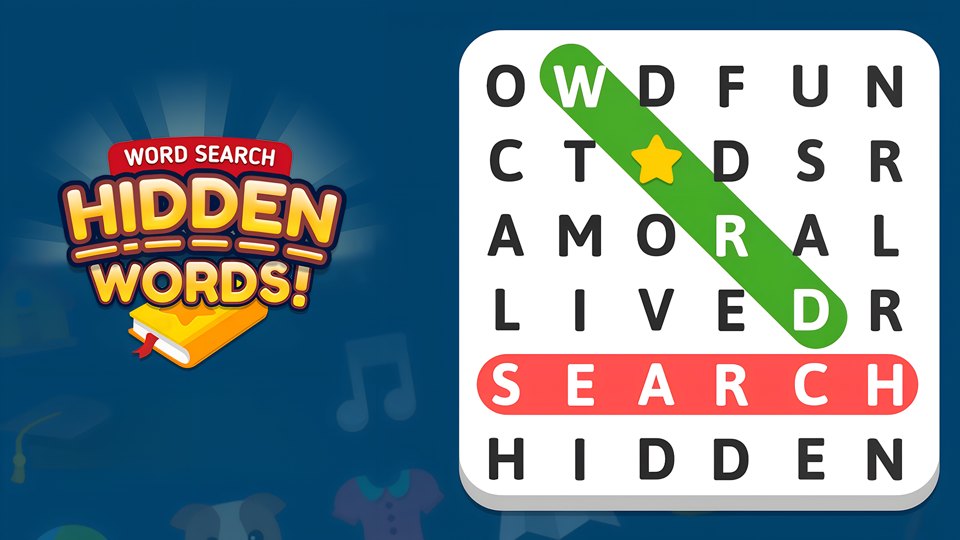
Game cover · Source: Playgama
This is a compact traditional word search with a useful secondary objective. Finding the listed theme words completes the grid, while valid unlisted words fill a separate bonus counter. That extra recognition gives exploratory swipes a purpose without changing the calm, vocabulary-led nature of the puzzle.
Historical record date
2026-08-12
Evidence boundary
Historical written notes · actions not fully reverified
Opens Playgama in a new tab. Its advertising, privacy rules, and game availability apply there.
How it works
Gameplay structure
A themed word list sits beside or around a 7×7 letter grid. The player swipes through adjacent letters in a straight horizontal, vertical, or diagonal line. A listed target is crossed off; a valid word outside the list contributes to a separate hidden-word count. Collecting six of those bonus words awards coins. When the intended list becomes difficult to scan, a hint can reveal a starting letter and narrow the remaining search area.
Input check
Controls and input guidance
Desktop
Click the first letter, drag in a straight line through the word, and release on the final letter.
Mobile
Swipe from the first to last letter horizontally, vertically, or diagonally. The portrait layout is a natural fit, but lift cleanly to avoid extending one cell too far.
Editorial suggestions
Practical tips
Check diagonal words early; horizontal and vertical patterns tend to attract attention first and can make diagonals feel harder later.
Use unusual starting letters from the target list to reduce the number of candidate positions in the 7×7 grid.
Scan the same line forward and backward because target words can appear in either reading direction.
When testing an unlisted word, release precisely on the final letter so an extra cell does not invalidate the bonus attempt.
Worked decision · editorial reasoning
A decision to make before your next move
Situation: Constructed 7×7 practice board, not a captured level. Targets: CAT, DOG, SUN. Rows run top to bottom; columns run left to right. Use the straight-line selection described in the historical notes.
C L M P Q R S
B A E F G H U
J K T V W X N
P Q R S T U V
A D O G H I J
K L M N O P Q
R S T U V W X
What to consider: Start with C at row 1, column 1. Its right neighbor is L and its lower neighbor is B, so neither can begin CAT; the down-right A at (2,2) leads to T at (3,3). Select that diagonal. DOG runs from (5,2) to (5,4). SUN runs down column 7 from row 1 to row 3.
Why: Checking the second letter eliminates directions before you scan an entire line. The same board contains AT at (2,2)–(3,3), but AT is not a listed target here: even if a particular game accepts it as a bonus word, it would not replace CAT. This separates the target-completion task from optional word hunting. Dictionary acceptance and coin rewards are properties of the actual build, not of this constructed grid.
This example explains the documented rules; it is not a new measured play session.
Play this if…
Best for players who enjoy vocabulary scanning, themed lists, portrait-friendly puzzles, bonus word hunting, and unhurried touch input.
Skip this if…
Skip it if you want clue-based crossword reasoning, action pressure, free-form letter rearrangement, or a puzzle with minimal language dependence.
A useful alternative
Word Search Hidden Words or Find the Frog - Hidden Objects?
Word Search hides linear vocabulary in a fixed letter grid and rewards extra valid words. Find the Frog hides visual silhouettes across illustrations and builds a themed collection album from completed scenes.
The August 12 written notes report that the reviewer opened a themed 7×7 grid, selected words horizontally, vertically, and diagonally, confirmed listed-word crossing, found a valid unlisted word, checked the six-word coin reward, and used a starting-letter hint.
Record boundary: This guide analyzes surviving August 12 written notes. The reported actions have not all been independently reconstructed; retained stills support only their visible screens, not every input, outcome, or completion claim. The mechanics and advice below should be read within that historical scope. Browser version, device model, and measured session duration were not recorded. Mobile instructions describe available controls, not a new touch-device test.
The historical notes describe a 7×7 board, keeping the initial search compact enough to inspect systematically.
Valid words not printed in the target list still matter because six hidden words produce a separate coin reward.
Hints reveal a starting letter rather than drawing the entire word, preserving some search work after assistance.
Source, independence, and advertising
The game’s recorded provider is Playgama. PIVND supplies the editorial analysis. The dated scope above identifies historical notes, supplier information, and any retained capture. PIVND is not the game's developer or publisher.
Available games open on the official Playgama website in a new tab. PIVND does not embed games or load their advertising. The provider’s privacy and advertising rules apply on its site. See our content sources and review method for source and evidence boundaries.
Editorial version: 2026-10-20. Live game details can differ from the dated sources above.
Review revision history
Checked source-supported mechanics, corrected unsupported details, and moved extended evidence notes behind the practical guide. No new gameplay session is claimed.
Originally published as a guide attributed to August 12 browser notes; later corrections and evidence limits are recorded below.
Added a structured evidence disclosure and revision record; this was an editorial audit, not a new gameplay session.
Removed embedded play in favor of provider-page links and aligned the content label with its evidence basis. This is not a new gameplay test.
Attributed surviving written notes explicitly and separated reported actions from independently visible screenshot evidence. No new play session is claimed.
Condensed repeated review sections and added a labeled editorial decision example. This is a content edit, not a new play session.
About this Word Search Hidden Words guide
Our Word Search Hidden Words guide covers its recorded 7×7 grid, eight-direction selection, listed and bonus words, six-word coin reward, hints, scanning strategy, vocabulary dependence, and portrait-oriented fit.