PIVND hands-on guide · Independently tested by PIVND Editorial

Speed per Click: Obby hands-on review

This obby separates preparation from execution. Clicking builds speed before a course, but extra speed only helps if the player can still control the moving character around walls, rolling objects, and gaps. It rewards upgrade-minded repetition with a short skill check at the end of each cycle.

Tested in browser
2026-08-12
What we checked
Launch, controls, opening play, and visible systems
Review by
PIVND Editorial
Speed per Click: Obby

Our tested guide to Speed per Click: Obby covers click-built speed, obstacle-course resets, wins, pets, rebirths, desktop and mobile input, practical pacing, and how it differs from climb-and-slide progression.

Use your mouse to play
Speed per Click: Obby

The third-party game loads only after you choose to play.

Speed per Click: Obby

PIVND hands-on guide · Full test record

What happened in our browser check

Tested 2026-08-12 by PIVND Editorial

We entered the obstacle-course hub, clicked to increase speed, attempted a course with rolling and moving hazards, fell and reset, reached the finish reward flow, and inspected wins, pets, rebirths, and additional course entries.

We launched the obstacle-course hub and confirmed that clicking builds speed before the character attempts obby courses. Reaching the finish awards a win, while rolling objects, moving walls, or falls reset the attempt. Wins, pets, rebirths, and additional courses form the longer progression loop.

  • Clicking and course navigation are distinct phases; a high speed number does not automatically complete the obstacle section.
  • A fall or collision can reset the run, making excessive speed a handling problem rather than an unconditional advantage.
  • Wins, pets, rebirths, and multiple courses create a longer progression ladder beyond completing one finish line.

How it works

The actual play loop

The player first clicks to raise the character’s movement speed, then enters an obby where reaching the finish produces a win. Hazards such as moving walls, rolling objects, and falls can reset the attempt, so raw speed eventually becomes harder to control. Wins support pets, rebirths, and access to further courses, returning the player to another preparation phase with stronger progression. The central tension is deciding when enough speed has been built to attempt the route without making steering unnecessarily unstable.

Input check

Controls we reviewed

Desktop
Click during preparation, use WASD to move, Space to jump, and mouse movement to manage the camera.
Mobile
Use the joystick to move, the lower-right button to jump, swipe to rotate the camera, and the tapping interface to build speed.

From the test

Practical tips

  1. Attempt the first course before maximizing clicks so you can learn how the current speed feels around corners and moving walls.
  2. Center the camera before a jump; high movement speed leaves little time for a midair view correction.
  3. Treat rebirth as a long-term multiplier decision and confirm that the reset cost fits your willingness to repeat early courses.
  4. If rolling hazards repeatedly catch the character, reduce approach speed through positioning rather than adding more clicks.

What works

Strengths

  • Preparation and obstacle execution create two kinds of progress.
  • Wins, pets, and rebirths provide clear repeat goals.
  • Courses give speed upgrades an immediate practical test.

Before you start

Limitations

  • The click phase can become repetitive.
  • Higher speed may make precise obstacles less comfortable.
  • Progress systems are more prominent than handcrafted platforming variety.

Play this if…

Best for players who like clicking progression, short obby attempts, pet multipliers, rebirth systems, and visible numbers that affect movement.

Skip this if…

Skip it if you want fixed-speed precision platforming, a narrative campaign, or an obstacle course without an incremental grind between attempts.

A useful alternative

Speed per Click: Obby or Obby: Climb and Slide?

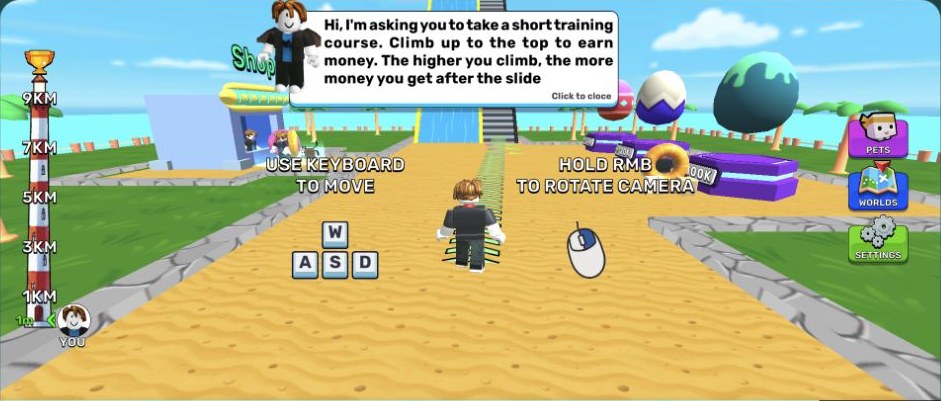
Speed per Click front-loads tapping and then tests the resulting movement on hazard courses. Obby: Climb and Slide earns coins through height and descent distance, with boats and pets shaping the next climb.

Read our Obby: Climb and Slide test guide

Source, independence, and advertising

The playable game and cover artwork are delivered by Playgama. PIVND wrote the surrounding review from its recorded browser check and is not the game's developer or publisher.

The site owner has confirmed the current provider use. This records the owner's position; it is not presented as an independent legal opinion.

Playgama may show provider-controlled advertising after a visitor starts the game. PIVND advertising remains disabled and is reviewed separately.

Editorial version: 2026-08-13. Live game details can change after our check.

About the playable Speed per Click: Obby build

Our tested guide to Speed per Click: Obby covers click-built speed, obstacle-course resets, wins, pets, rebirths, desktop and mobile input, practical pacing, and how it differs from climb-and-slide progression.